WizPOS - restaurant point of sale software with counter billing, kitchen screen, QR menu and daily reports

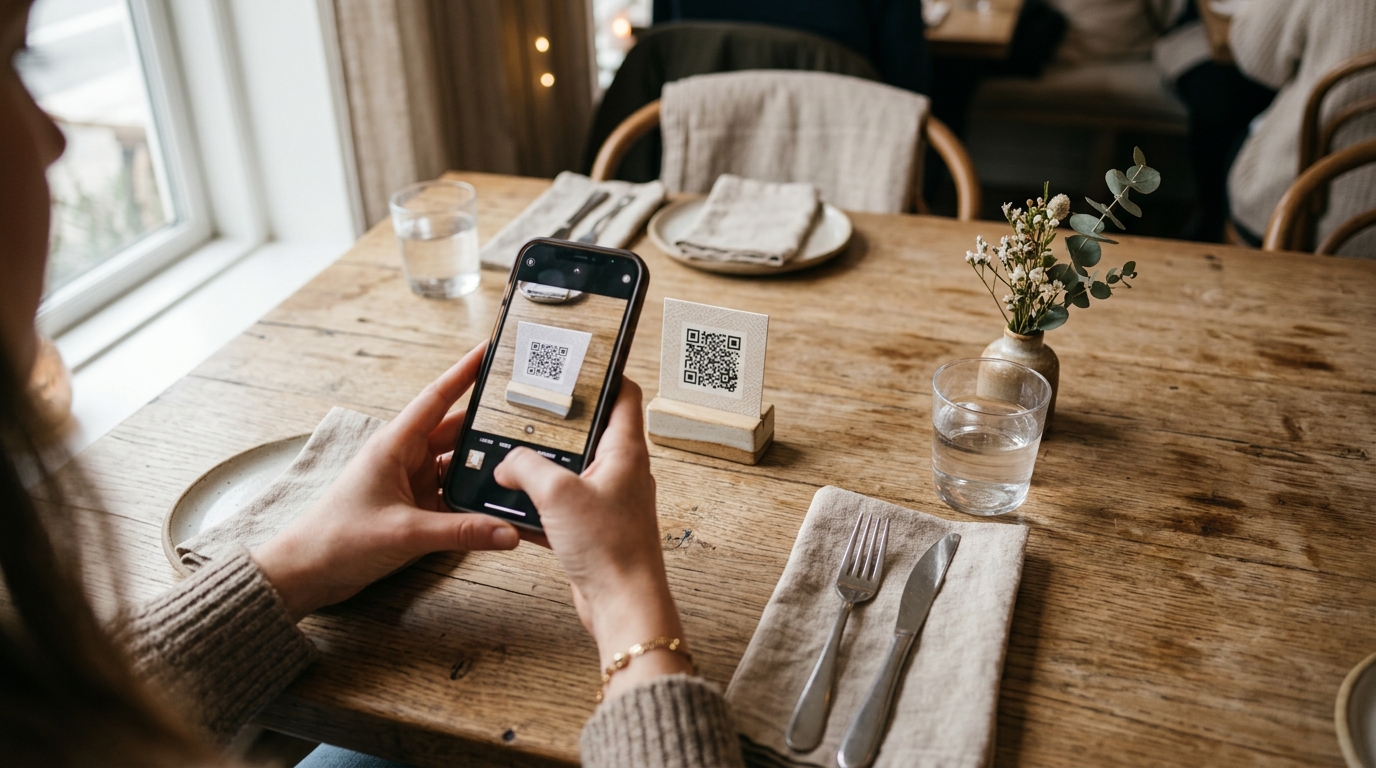
A diner scanning the QR code on the table to open a restaurant's menu

WizPOS

A restaurant point of sale that runs on the device already on your counter.

WizPOS is restaurant POS software that opens in the browser of a phone, a tablet or a counter screen. No desktop to install, no licence key to chase, and no terminal that only the manager knows how to use. Staff take orders, send them to the kitchen, take payment and close the day from the same system, and the owner can see the figures without driving back to the restaurant.

What it does

One system from the order on the table to the figures at closing time.

A tablet on a cafe counter running the WizPOS counter screen, with the floor plan and an open order

Counter Billing

Take an order, apply an offer, take payment by cash, card or UPI, and print or share the bill. The counter screen shows the tables, which are busy and what is still open, so a second round can be added to the same bill instead of starting a new one.

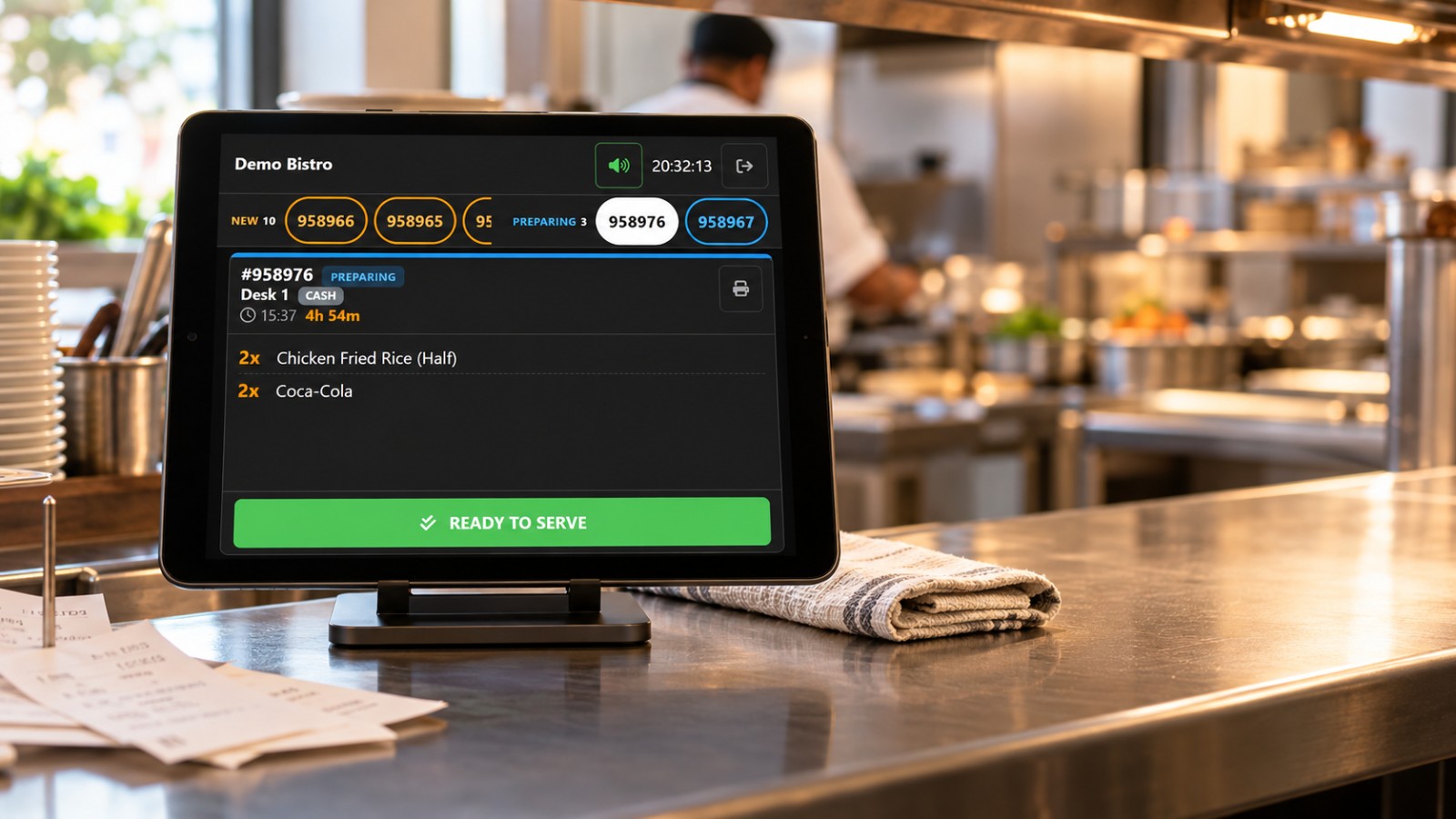
A kitchen screen on a stainless steel pass showing WizPOS tickets waiting to be prepared

Kitchen Screen

Orders reach the kitchen as they are taken, with the table, the time the order was placed and how long it has been waiting. Kitchen staff mark a dish done on their own screen, without touching the counter's, and the counter sees it leave.

A phone held over a restaurant table showing the WizPOS QR menu with today's chef's pick

Menu And QR Codes

Your menu gets its own page and its own QR code, so a customer can read it or order without waiting to be handed a card. Change a price or mark a dish out once and the table sees it immediately, because the menu is a live page and not a reprint.

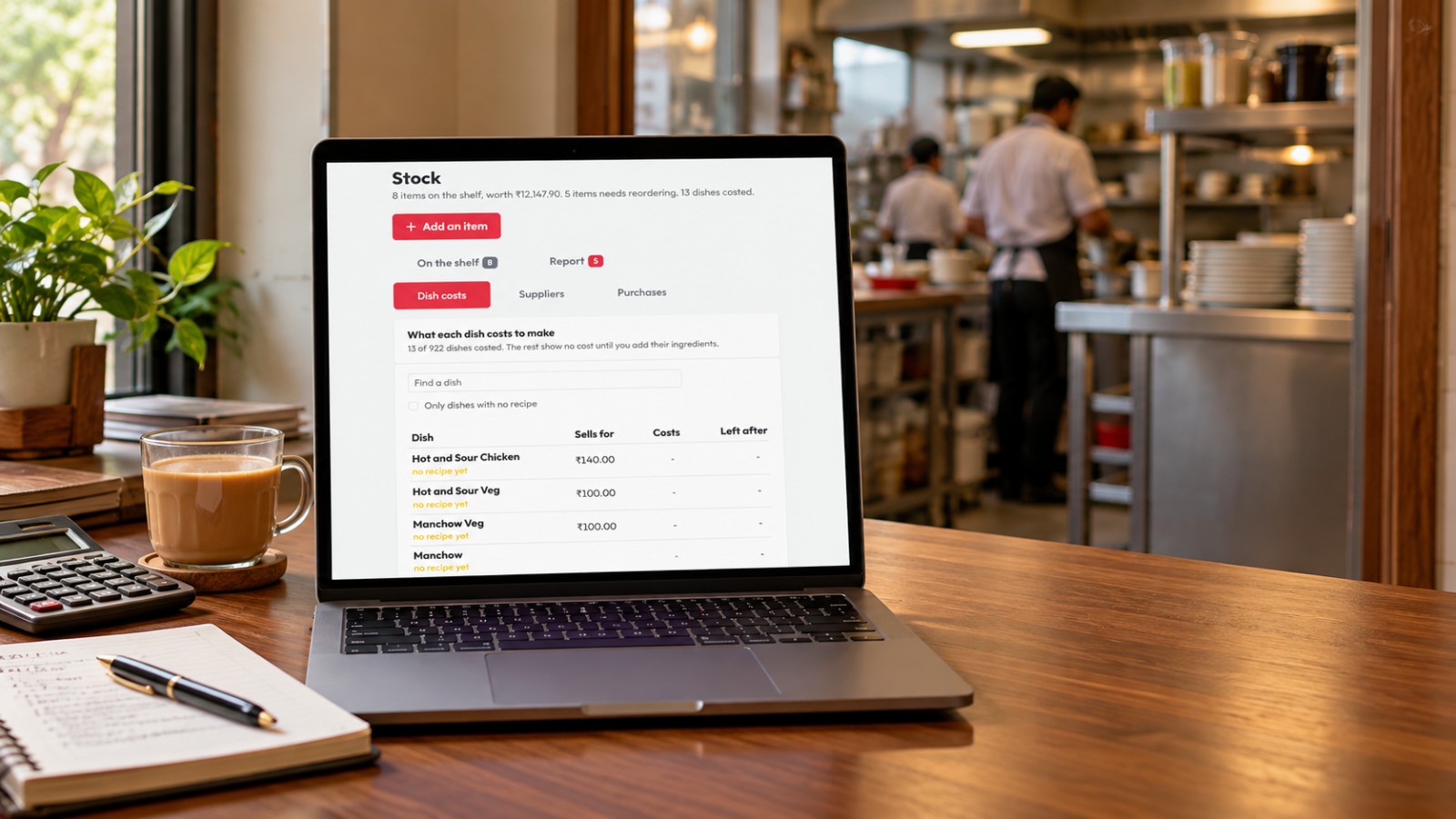
A laptop on a restaurant table showing WizPOS dish costs, with the selling price and the margin per dish

Dish Costs And Wastage

Record what a dish costs to make and what gets thrown away, so the margin on the menu is a number rather than a guess. The cost price is built from the ingredients, which means a supplier's price rise shows up on the dishes it affects the same week.

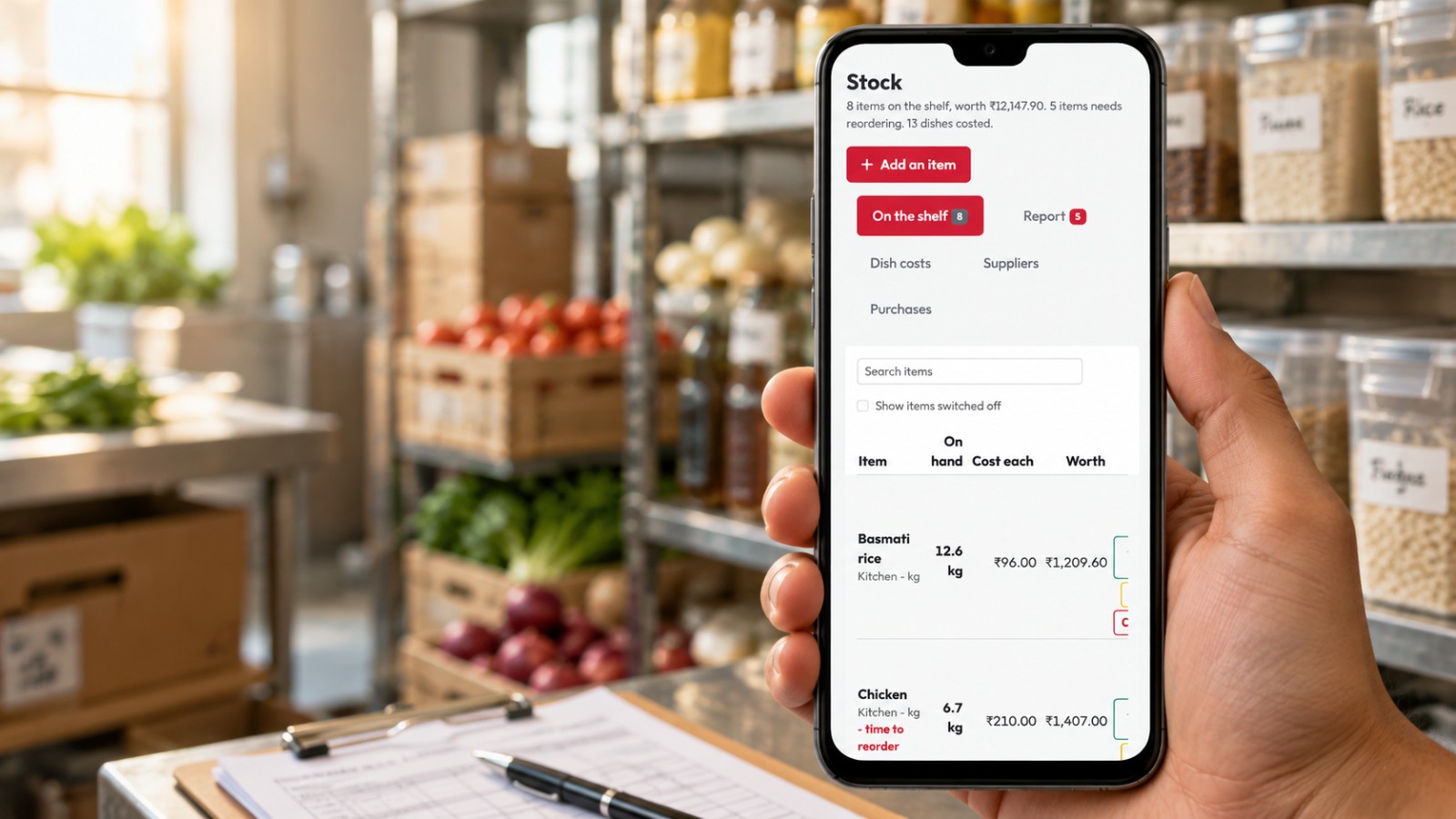
A phone held over a clipboard in a stockroom showing the WizPOS stock list with reorder flags

Stock And Suppliers

Track what is on the shelf, record what came in and from whom, and keep a reorder list instead of a notebook. Items that are running low are flagged against the level you set, so the order goes out before the kitchen runs out mid-service.

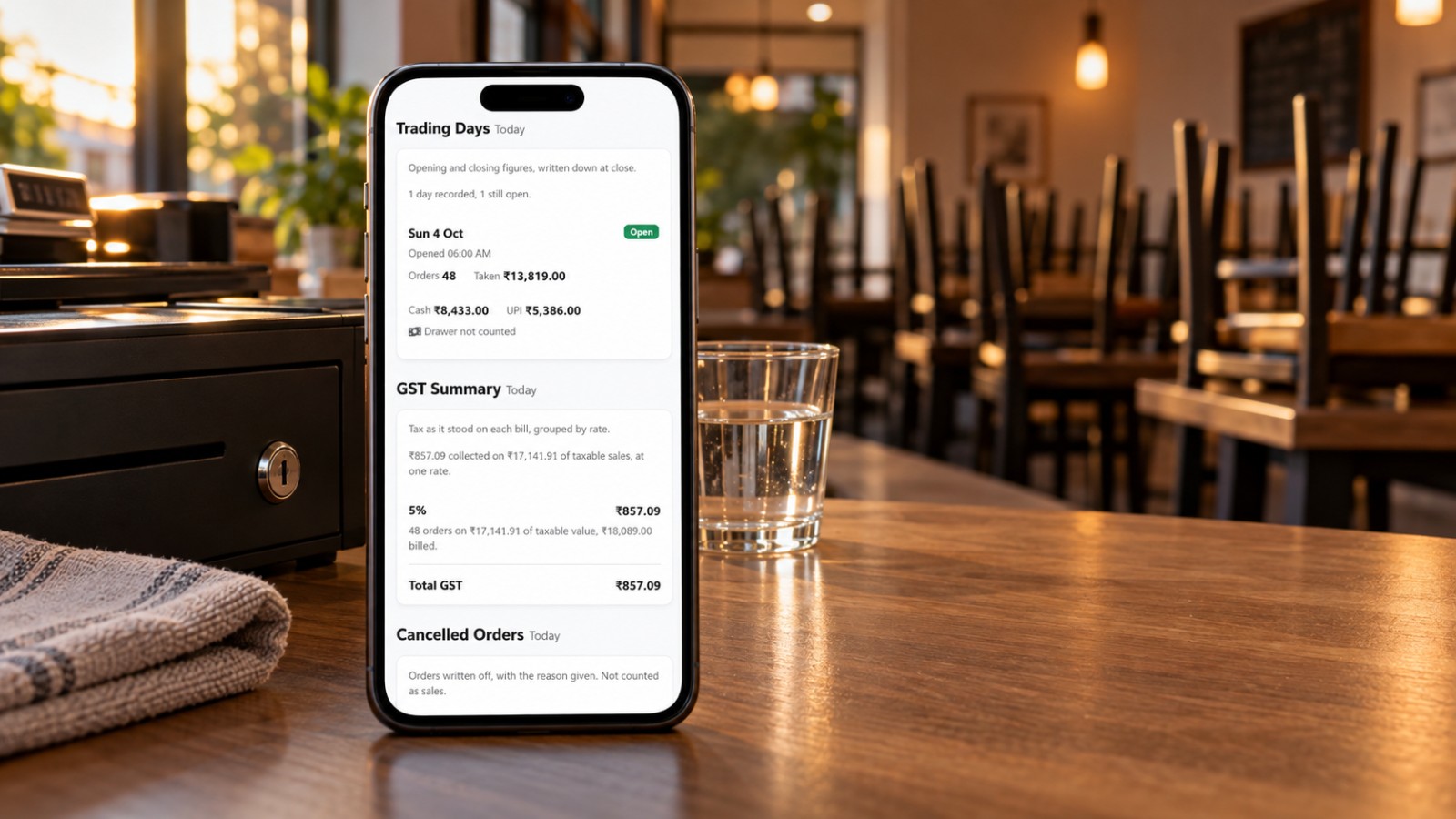
A phone on a restaurant counter at closing time showing the WizPOS trading day, the tax summary and the cancelled orders

Reports And Day Close

See sales by day, by item and by staff member, count the drawer, and close the day with the figures already totalled. The cash and the card takings are shown separately, the tax is grouped by rate, and cancellations keep the reason they were written off.

Staff And Logins

Everyone who needs a screen gets their own account.

Starter 10 logins
Growth 25 logins
Pro 40 logins
Enterprise No login limit

The owner login comes with every package, and the menu and the table codes have no ceiling on any of them. The logins are the only number that changes. Kitchen and counter staff sign in with a username and a four digit PIN, which is much faster than a password on a shared tablet. Switching somebody off stops their account at once and signs them out on every device, but nothing is deleted, so their past sales keep their name. The team roster is a separate list with no ceiling, because most of a kitchen never signs in at all.

Questions

What restaurant owners ask before they switch tills.

What is WizPOS?

WizPOS is restaurant point of sale software that runs in the browser of a phone, a tablet or a counter screen. It takes the order, sends it to the kitchen, takes payment by cash, card or UPI, keeps the menu and records stock, dish costs and the day's figures in the same system, so there is no second till, no printed menu card and no notebook to reconcile at closing time.

Do I need special hardware to use it?

No. WizPOS opens in a browser, so a phone, a tablet or a laptop you already own is enough to start. A receipt printer, a cash drawer and a card machine are additions rather than requirements: a bill can be printed, sent as a link, or simply shown to the customer on the screen.

How do the counter and the kitchen stay in step?

Both screens read from the same system. An order sent from the counter appears on the kitchen screen within a moment, and when the kitchen marks a dish ready the counter sees it. Nobody carries a paper ticket to the back or calls an order number across the room, and an order cannot be lost between the two.

How do the QR menus work?

Each menu gets its own page and its own QR code. The customer scans the code on the table, reads the menu on their own phone and, if you switch it on, places the order from it. Because the menu is a live page rather than a printed card, a new price or a dish that has run out changes on the table the moment you change it once.

How are logins and packages priced?

A package is a number of logins: Starter has ten, Growth twenty five, Pro forty, and Enterprise has no limit. The owner login comes with all of them, and the menu and the table codes have no ceiling on any package. Staff sign in with a username and a four digit PIN, which is faster than a password on a shared tablet.

Can I change a price or mark a dish sold out?

Yes, from the same screen your staff already use. Change a price once and it is right on the cooking screen, on the bill and on the QR page; mark a dish sold out and it stops being orderable until you put it back. Nothing has to be reprinted and nobody has to be told the old price by mistake.

What does the day close actually produce?

It writes down the opening and closing figures for the day, the cash and card takings, the tax grouped by rate and the orders that were cancelled with the reason given. It is the sheet a manager would otherwise build by hand after service, produced from the bills that have already been raised rather than from a second count.

Where does our data live?

WizPOS runs as a hosted service and every restaurant has its own account. Each login you create belongs to your restaurant and sees only your sales, your stock and your menu, so nothing is shared with another business. Your bills, dishes and stock records are kept for as long as your account is open.

Still deciding? Tell us what kind of kitchen you run and we will show you the screens that matter to it.

Try It On Your Own Menu

See WizPOS with your dishes and your prices.

The WizPOS website covers the plans, what each one includes and how to start. If you would rather be walked through it, tell us what kind of kitchen you run and we will show you the screens that matter to it. If you are still deciding between a till and a system, our CRM for WordPress is the other half of the same story: it keeps the customers and the enquiries that the till never sees.

It also installs as an app on Android, so the counter can travel to the table or the door. Same account, same menu, same day's takings, and it keeps working when the internet does not.

Ava